Best for
WooCommerce merchants, store operators, and WordPress teams who want a practical store-side helper.
Site / store helperWooCommerce-first
Use the plugin when evidence preparation starts inside your WordPress or WooCommerce workflow and you want a cleaner path than scattered notes, screenshots, and emails.
Official domain: www.vraimony.com. Read-only verification only. No remote scripts by default.
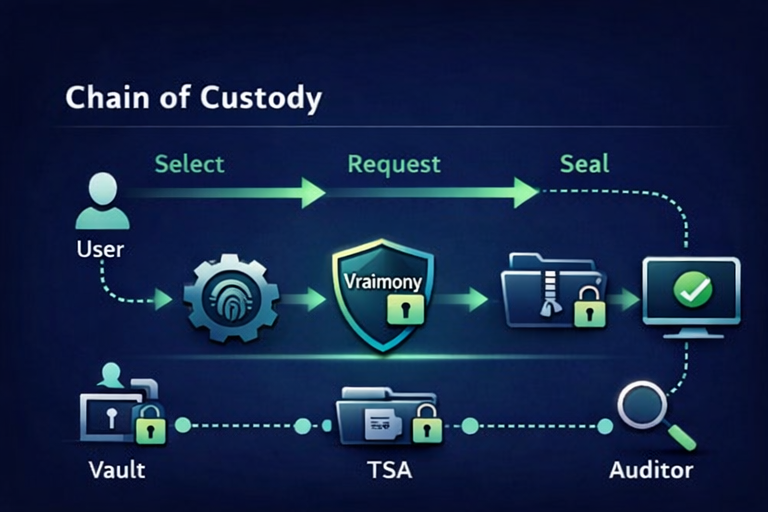
WooCommerce merchants, store operators, and WordPress teams who want a practical store-side helper.
You want a hosted dispute service, broad automation platform, or custom implementation bundled inside the download.
A WooCommerce merchant receives a delivery dispute and wants the store itself to be the starting point for cleaner evidence work.
Install it in WordPress, open the plugin area, and use it as the website-side helper when order, delivery, acceptance, or dispute-related evidence work starts in the store.
It removes scattered store-side proof handling and gives teams a cleaner starting point than manual screenshot folders and email chains.
Best paired with the One Case or the WooCommerce-first proof path when the download alone is no longer enough.
Download only from www.vraimony.com. Check the matching guide, package name, and release wording. SHA256 helps detect corruption; it does not prove official origin by itself.
A website-side helper for WooCommerce and WordPress proof work.
It is not a full dispute outsourcing service or a custom-built workflow rollout.
Install the helper first. Then use a self-serve pack if you need a clearer operational outcome.